
A traffic light model for school project can be made in an evening from a cardboard box, black paint and three circles of coloured glazed paper, and it can be turned into a working model by adding three LEDs, three resistors, push switches and a small battery holder. This guide gives both versions in clear steps, explains what to put in your project file, and shows how to present the model so your teacher sees that you understand road safety, not just craft. Before you start, press the buttons of the demo signal on this page to watch the order in which the lamps change.
Quick facts
Easy version
Cardboard tower, black paint, three coloured circles, about two hours.Working version
Three LEDs, three resistors, push switches and a two-cell battery holder.Safety
Low-voltage cells only, never plug anything into a wall socket.Adult help
Ask an elder for the cutter and glue gun.Next level
A sensor based smart model for science fairs in classes 6 to 10.
Choosing your traffic light model for school project
Pick the version that suits your class and the time you have. Here is a quick comparison:
| Model | Class | Time | Main materials | Lights up? |
|---|---|---|---|---|
| Paper and cardboard | 1 to 4 | 2 hours | Box, paint, coloured paper, glue | No |
| LED and battery | 4 to 8 | Half a day | LEDs, resistors, switches, cells, wire | Yes, by hand |
| Junction scene | 3 to 8 | One day | Thermocol sheet, toy cars, chart paper | Optional |
| Smart sensor model | 6 to 10 | Two days | Microcontroller board, LEDs, IR sensors | Yes, on its own |
Whatever you choose, keep the lamps in the correct order, with red highest and green lowest.
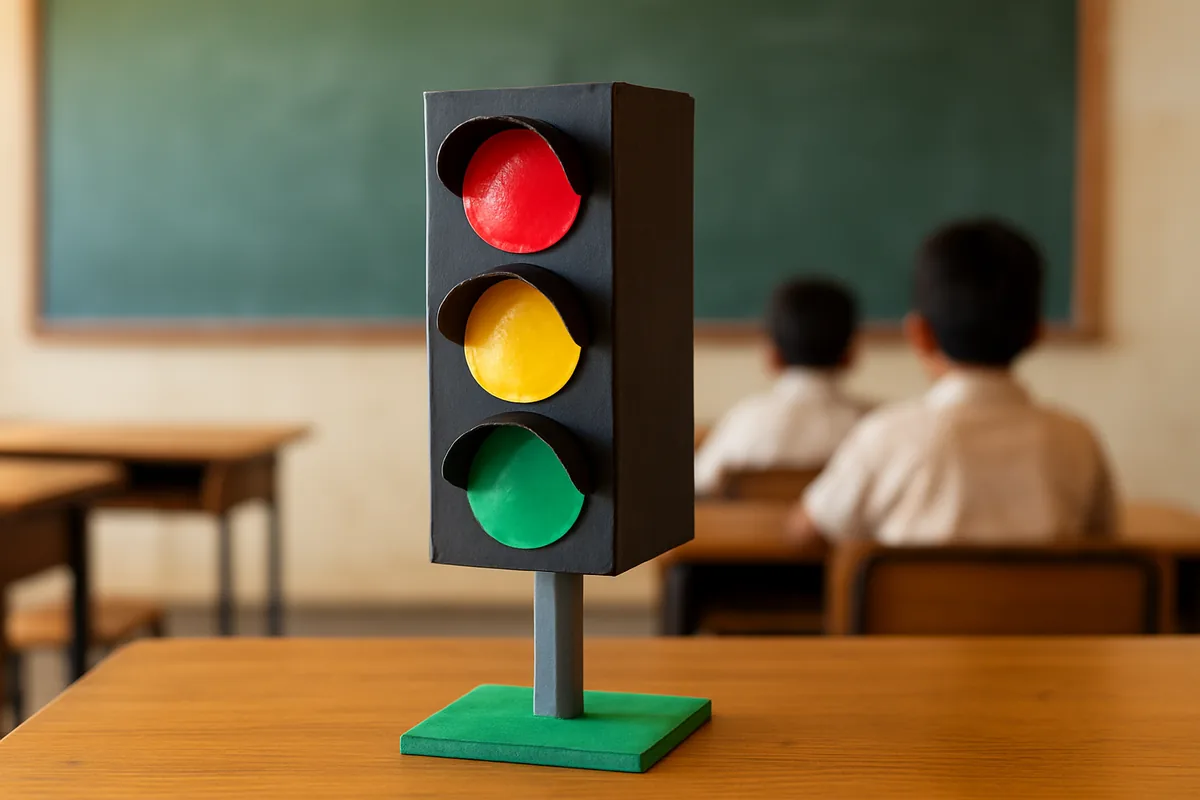
Materials for a simple cardboard traffic light
- A long narrow box, such as a toothpaste or medicine carton, or thick cardboard sheets
- A cardboard tube from a roll of foil or kitchen paper for the pole
- A square of thick cardboard or thermocol for the base
- Black poster paint or black chart paper
- Red, yellow and green glazed paper, or three bottle caps painted in these colours
- Glue stick, white craft glue or a glue gun, scissors, a ruler and a pencil
- A compass or a round lid to trace circles
Steps to build the cardboard model
- Wrap the box in black paper or paint it black. Let it dry fully.
- Trace three equal circles about 3 cm wide on the coloured paper and cut them out.
- Mark three evenly spaced points down the front of the box. Stick red highest, yellow at the centre point and green lowest.
- Cut three small half circles of black card and glue them above each lamp as sun hoods. This makes the model look real.
- Paint the tube grey or black and fix it under the box with glue or tape.
- Push the tube into a hole in the base, or glue it standing straight, and cover the base in green paper as grass.
- Draw a short zebra crossing on a strip of black paper and place it in front.
To show which light is on, make the inactive lamps duller by sticking a small piece of tracing paper over them, and leave the active one bright.
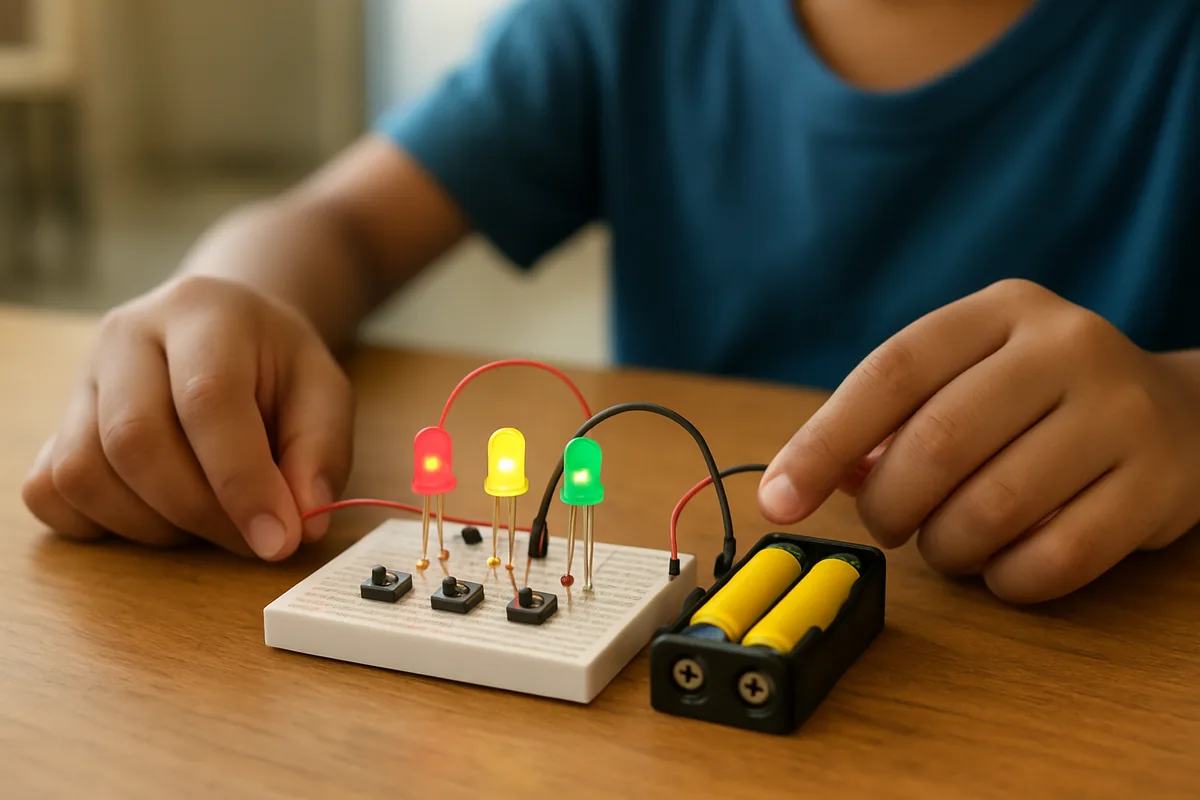
A working traffic light model with LEDs and a battery
A working traffic light school project gets more marks because it shows a real circuit. This one uses only low-voltage cells and is safe for school.
You will need
- One red, one yellow and one green LED of 5 mm size
- Three resistors of about 100 ohms
- Three small push switches
- A battery holder for two pencil cells, with the cells
- Thin insulated wire, tape, and a small breadboard or a strip of cardboard to mount parts
How to connect it
- Push the three LEDs through holes in the front of your cardboard box, red on top. The longer leg of each LED is the positive side.
- Join one end of a resistor to the long leg of each LED.
- Connect the other end of each resistor to one side of its own push switch.
- Join the other side of all three switches together and run that wire to the positive end of the battery holder.
- Join the short legs of all three LEDs together and run that wire to the negative end of the holder.
- Insert the cells. Press each switch: the matching lamp should glow. If not, turn that LED around.
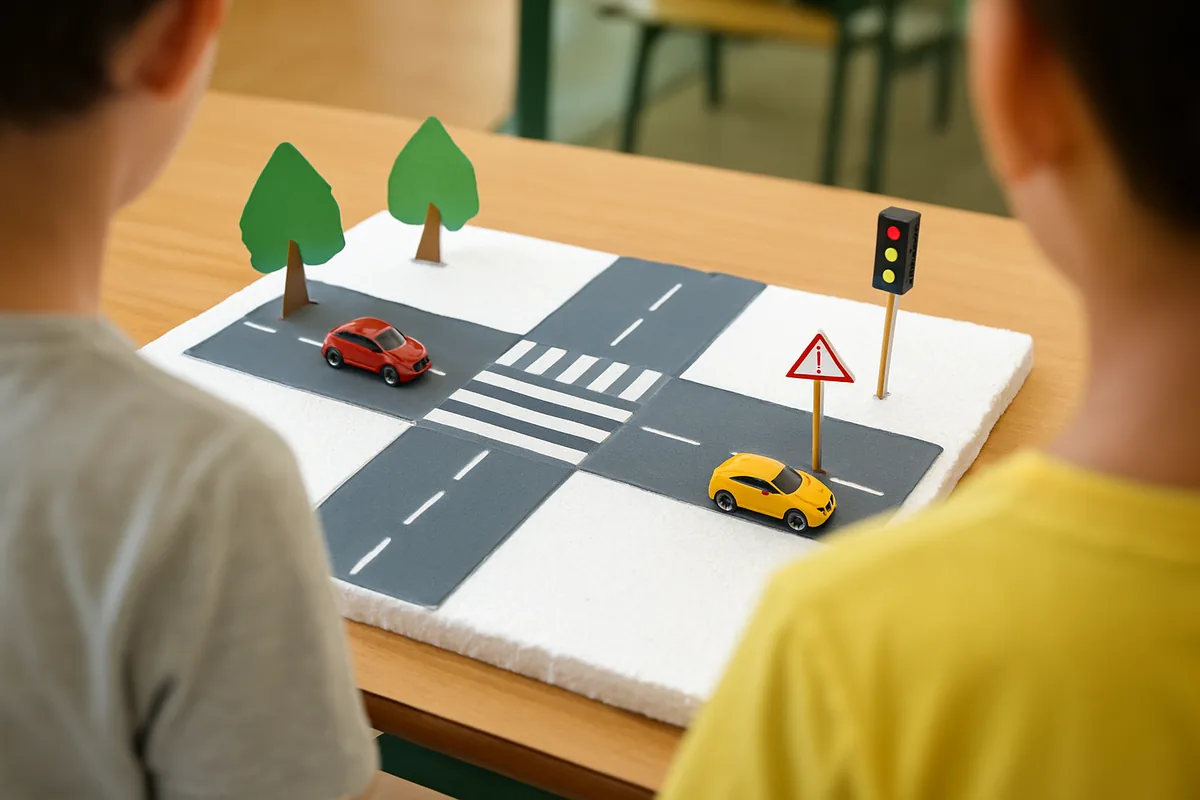
Build a junction scene around the light
For a bigger school project traffic rules model, place the light at a small crossroads:
- Use a thermocol sheet as the ground and cover it with grey chart paper for roads.
- Paint white zebra stripes on each side of the junction and a stop line before each stripe.
- Add toy cars, a cardboard school building and a School Ahead sign on a stick.
- Place small paper figures of children waiting on the footpath, not on the road.
- Remember that vehicles keep to the left in India, so set the toy cars on the left side of each road.
For the sign, follow the drawing steps on the school ahead sign guide.
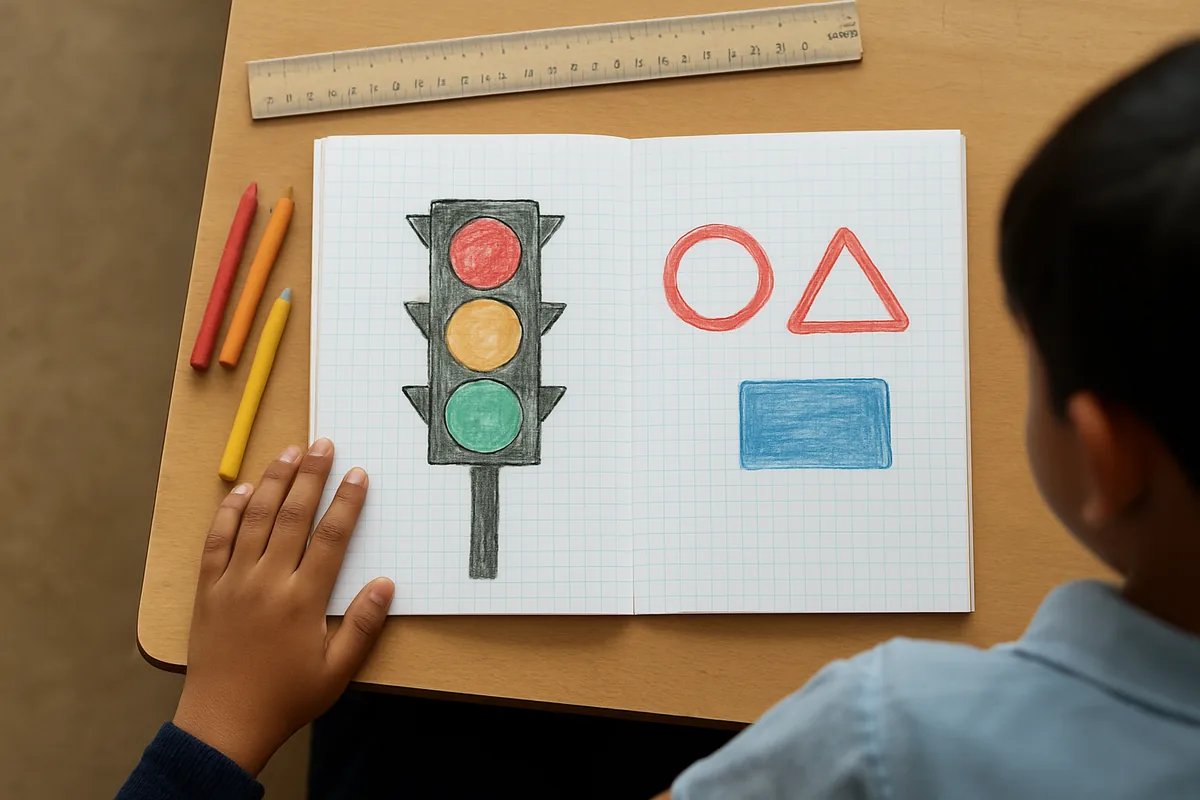
Pictures and drawings for the project file
Teachers usually want a file or chart alongside the model. Good pages to include:
- A neat traffic light drawing with the colours and their meanings written beside each lamp.
- Pictures of the three families of signs: red circles for rules, red triangles for warnings and blue rectangles for information.
- A labelled diagram of your circuit if you built the LED version, showing the battery, switches, resistors and LEDs.
- Five road rules for children, written in your own words.
- A short note on what you learned while making the model.
Draw the traffic signal images yourself rather than printing them; teachers value hand work. For a large wall display, see the traffic rules chart page, and for a behaviour board in the classroom, try the classroom light chart.
Take it further with a smart traffic light
Students in middle and high school can add sensors so the light decides on its own how long to stay green. The smart traffic light guide explains the idea, the parts and a simple build in plain steps, without any coding jargon. It is a strong choice for a science exhibition.
How to present the model in class
A good talk of two or three minutes can lift an ordinary model. Try this plan:
- Start with one line on why traffic lights matter, for example that they let children cross busy roads safely.
- Show the lamps one by one and explain what drivers and walkers do for each.
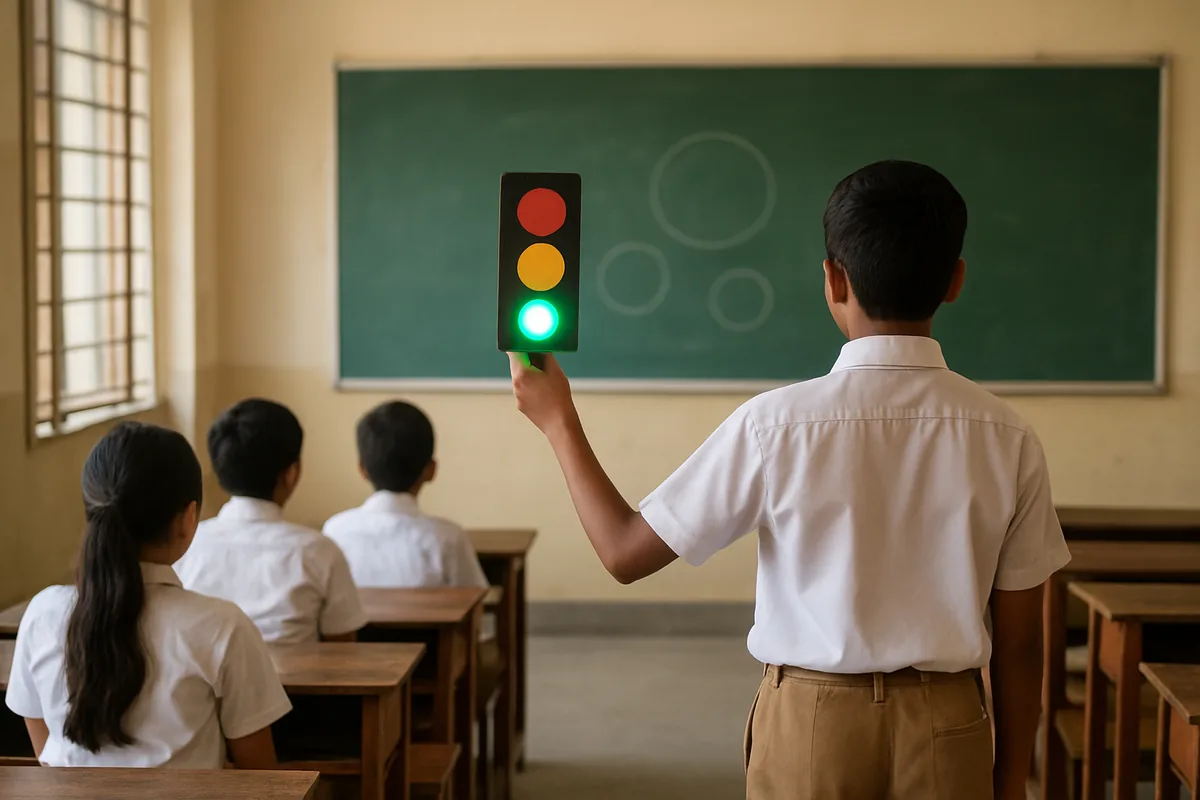
- If it is the working version, press the switches in the real order: green, amber, red, and back to green.
- Point to the materials and say which part was the hardest to make.
- End with one road rule that you follow every day.
Common mistakes to avoid
- Wrong order. Green on top is the most common error. Red always goes at the top.
- Cars on the right. In an Indian junction scene, vehicles drive on the left.
- LED backwards. If a lamp stays dark, flip that LED so its long leg faces the battery's positive side.
- No resistor. Without one, an LED can burn out quickly.
- Wobbly pole. Fill the tube with crushed paper and glue it to a heavy base.
For the everyday rules to write in your file, read the road safety for students section, and for how signals work at real school gates, see traffic lights at school.
Questions people ask
How do I make an easy traffic light model for a school project?
Paint a narrow box black, stick red, yellow and green paper circles from top to bottom, add a cardboard tube as a pole and fix it on a base. It takes about two hours with simple materials.
How can I make the traffic light model work with lights?
Fit a red, a yellow and a green LED into the box, give each one a resistor and a push switch, and power them from a two-cell battery holder. Pressing a switch lights its lamp.
Is a battery traffic light project safe for children?
Yes, when it uses only small pencil cells. Never connect a school model to mains power, and let an adult handle the glue gun and the cutter.
What should I write in the project file?
Include a drawing of the light with meanings, pictures of the three sign families, a circuit diagram if you used LEDs, a few road rules and what you learned while building it.
What is a good traffic project for an older student?
A smart traffic light that uses sensors to count vehicles and change the green time is a strong science fair choice. It needs a microcontroller board, LEDs, resistors and IR sensors.
Why does my LED not glow?
It is usually placed the wrong way round, so turn it so the long leg goes towards the positive side. Also check that the cells are fresh and every joint is tight.